Vardiff and static share difficulty
2026. 9. 29.
🎯 On pool.kryptex.com, for SHA256, Scrypt, RandomX, and kHeavyHash (KAS), vardiff is on by default — the pool automatically picks the right share difficulty for each worker, and you can also set a fixed difficulty manually through the worker password.
🛠 For PRL (PearlHash) there is no vardiff, but you can set a fixed share difficulty manually through the worker password if you need one.
👉 Mining pool share difficulty
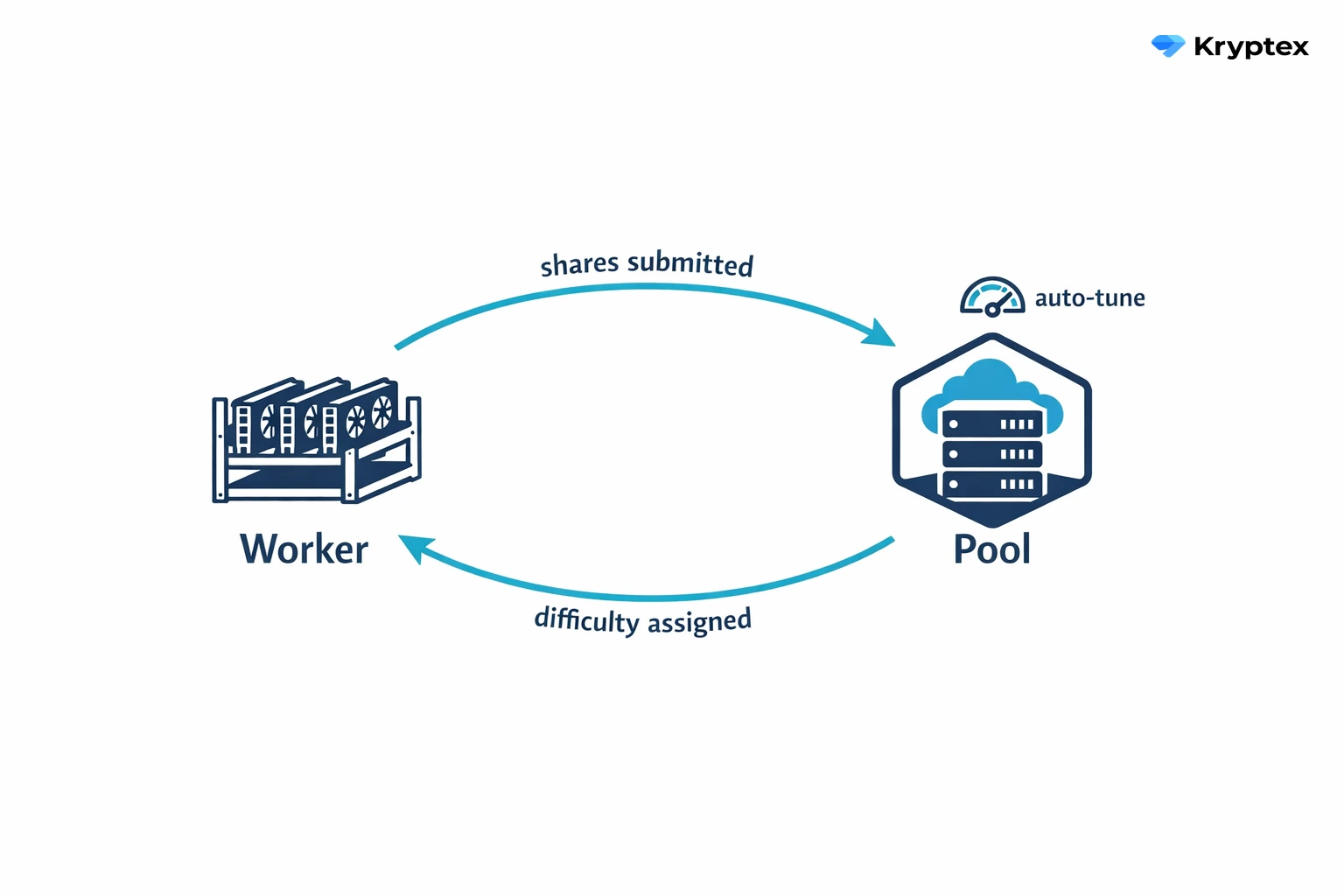
How vardiff works
Vardiff (variable difficulty) lets the pool set the share difficulty for each worker automatically. It watches how fast your shares come in and tunes the difficulty so a worker submits roughly one share every 60 seconds.
What this means in practice:
- Any hardware connects without setup — from a single CPU to industrial ASICs.
- If hashrate shifts (cards heat up, firmware glitches, a worker drops offline), vardiff retunes right away.
- The pool isn't flooded with tiny shares, and it balances the load evenly.
Vardiff is on by default for SHA256, Scrypt, RandomX, and kHeavyHash (KAS). PRL (PearlHash) is the exception — it runs without vardiff, so on PRL you set a static difficulty manually only if you need one.
Static difficulty vs. vardiff
A static difficulty is a fixed value you set in the worker password. The pool then sends shares at exactly that difficulty and stops adjusting it.
Common reasons to use it:
- Measuring hashrate precisely from pool stats.
- Running stratum proxies or custom setups that need a predictable difficulty.
- Debugging a miner or ASIC firmware.
Every algorithm has its own limits — see the table below. A value outside them won't break anything: on algorithms with vardiff the pool goes back to picking the difficulty itself, and on PRL it applies the default difficulty of 2,097,152.
Setting a custom difficulty
Supported algorithms: SHA256, Scrypt, RandomX, kHeavyHash (KAS), and PearlHash (PRL).
In the worker password, specify d=<number> — for example, d=2147483648.
The formula
D = (hashrate × time) ÷ const
hashrate— the device's hashrate in H/s (not TH/s or GH/s).time— the target time per share, in seconds. Use 60 — it's the sweet spot between pool load and stat accuracy.const— the algorithm constant:
| Algorithm | const |
|---|---|
| SHA256 | 2³² = 4,294,967,296 |
| PearlHash (PRL) | 2³² = 4,294,967,296 |
| kHeavyHash | 2³² = 4,294,967,296 |
| Scrypt | 2¹⁶ = 65,536 |
| RandomX | 1 (D = hashrate × time) |
Limits per algorithm
The pool keeps the share difficulty inside a fixed range. Default is the difficulty a worker gets when it connects: on algorithms with vardiff the pool starts there and tunes from that point, and on PRL it stays there until you set d= yourself.
| Algorithm and coins | Default | Minimum | Maximum |
|---|---|---|---|
| SHA256 — BTC, BCH, BSV, XEC, DGB, FB, QUAI (SHA256) | 524,288 | 8,192 | 16,777,216 |
| Scrypt — LTC, DOGE, QUAI (Scrypt) | 524,288 | 65,536 | 33,554,432 |
| RandomX — XMR, ZEPH, XTM (RandomX) | 400,000 | 20,000 | 43,500,000 |
| kHeavyHash — KAS | 4,096 | 512 | 33,554,432 |
| PearlHash — PRL | 2,097,152 | 2,097,152 | 4,294,967,296 |
Check your number against this table before you put it in the password: a d= below the minimum or above the maximum is not applied.
Worked examples
SHA256, 200 TH/s ASIC:
hashrate= 200,000,000,000,000 H/s- D = (200,000,000,000,000 × 60) ÷ 4,294,967,296 ≈ 2,793,968
- Password:
d=2793968
Scrypt, 9 GH/s ASIC:
hashrate= 9,000,000,000 H/s- D = (9,000,000,000 × 60) ÷ 65,536 ≈ 8,239,746
- Password:
d=8239746
RandomX, 3 KH/s CPU:
hashrate= 3,000 H/s- D = 3,000 × 60 = 180,000
- Password:
d=180000
kHeavyHash (KAS), IceRiver KS0 ASIC, 100 GH/s:
hashrate= 100,000,000,000 H/s- D = (100,000,000,000 × 60) ÷ 4,294,967,296 ≈ 1,397
- Password:
d=1397
The KAS range is built for ASICs — GPUs don't mine kHeavyHash. Even the entry-level KS0 sits well above the minimum of 512, while an 8 TH/s ASIC lands at about 111,759.
PearlHash (PRL), a single GPU (RTX 3090, 125 TH/s):
hashrate= 125,000,000,000,000 H/s- D = (125,000,000,000,000 × 60) ÷ 4,294,967,296 ≈ 1,746,230
- That is below the PRL minimum, so the lowest difficulty you can actually work at is the minimum itself:
d=2097152
The PRL minimum of 2,097,152 corresponds to roughly 150 TH/s. At or below that — which in practice means a single GPU — the worker always runs at the minimum difficulty: a 125 TH/s card submits a share about every 72 seconds instead of 60. Setting d= by hand starts to make sense above 150 TH/s.
✅ Why vardiff is the better default
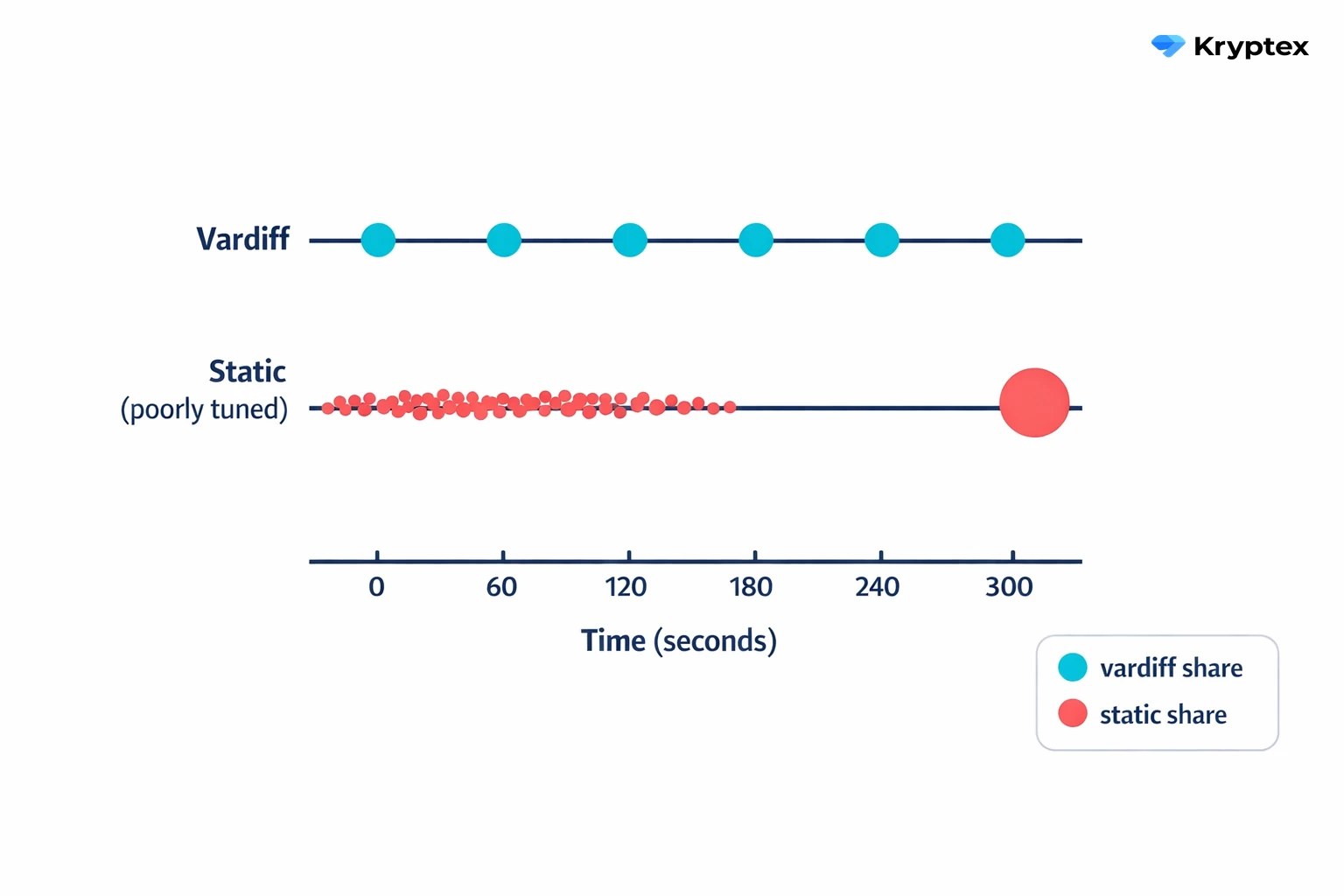
The pool sees your worker's actual speed, not a number from a spec sheet. That makes it better at picking the right difficulty than any manual calculation — real performance always drifts, and vardiff accounts for that on its own.
Set the difficulty by hand only when you have a specific reason — measurements, a stratum proxy, or debugging. In every other case, vardiff does a better job.
❌ Share difficulty doesn't affect your earnings
A common misconception: "If I raise the difficulty, I'll earn more." That's not how it works.
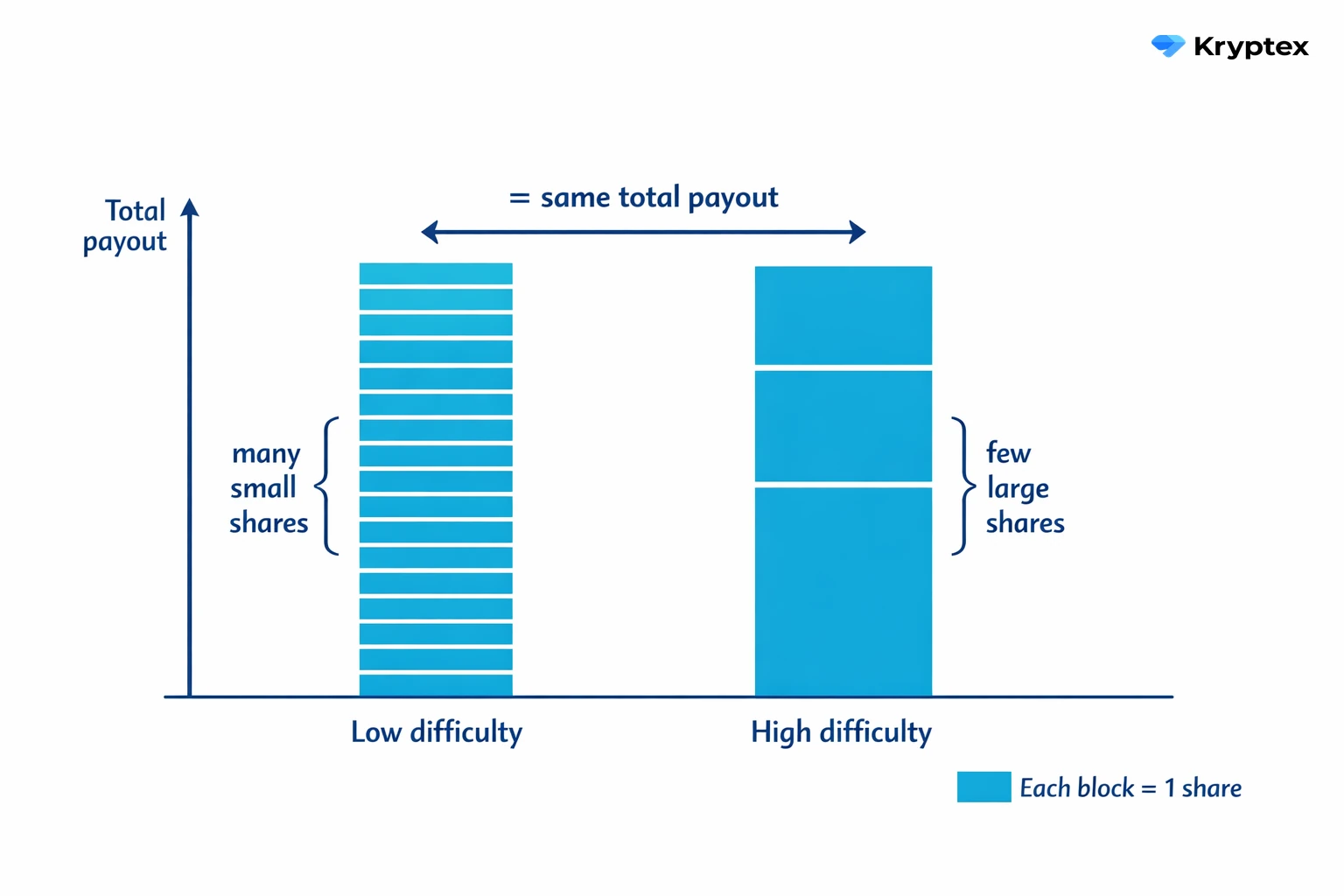
- PPS and PPLNS weigh every share by its difficulty — a big share is worth more, a small one less. So your
hashrate × timestays the same at any difficulty. With fewer shares, each is worth more; with more shares, each is worth less. The total payout is identical. - In solo mining, share difficulty doesn't matter at all. Your chance of finding a block depends on your hashrate vs the network difficulty. How the pool tracks your shares has nothing to do with it.
- Luck — meaning payout variance on PPLNS — depends on round length and pool behavior, not share difficulty.
Share difficulty only changes how finely the pool tracks your work and how much network traffic it generates. It doesn't change what you earn.
Need Help?
Have any questions, something unclear, or trouble connecting?
Contact support — we're happy to assist!
- Support Ticket.
- Telegram Support.
- Discord Support.
- Email support at support@kryptex.com.