ASIC Canaan Avalon Nano 3 / Nano 3S — Home Bitcoin Miner with Built-in Heater Function
۱۴۰۵/۶/۲۳
The Canaan Avalon Nano 3 and its more powerful version, the Nano 3S, are compact ASIC miners designed specifically for home Bitcoin mining. With ultra-quiet operation (33–40 dB), a tiny footprint, and a built-in heater function — mining heat warms your room — these devices are ideal for home use. In this article, we'll cover the specs, setup, and how to connect to the Kryptex Pool, including solo mining mode.
🔧 Who is the Avalon Nano 3 for?
- Beginners looking to start mining Bitcoin at home without excessive noise.
- Apartment and office owners who value compact size and quiet operation.
- Enthusiasts who want to try solo mining and find a block on their own.
💎 On the Kryptex Pool, SHA256 Canaan Avalon Nano 3 / Nano 3S ASICs can mine BTC, FB, XEC, DGB, BCH, BSV, and QUAI SHA256.
✅ Merged mining of BTC+FB is also available — mine Bitcoin and Fractal Bitcoin simultaneously.
- Mine Bitcoin BTC + Fractal Bitcoin FB — https://pool.kryptex.com/btc
- Mine Fractal Bitcoin FB — https://pool.kryptex.com/fb
- Mine eCash XEC — https://pool.kryptex.com/xec
- Mine DigiByte DGB — https://pool.kryptex.com/dgb
- Mine Bitcoin Cash BCH — https://pool.kryptex.com/bch
- Mine Bitcoin SV BSV — https://pool.kryptex.com/bsv
- Mine QUAI SHA256 — https://pool.kryptex.com/quai-sha256
Canaan Avalon Nano 3 / Nano 3S — Specifications
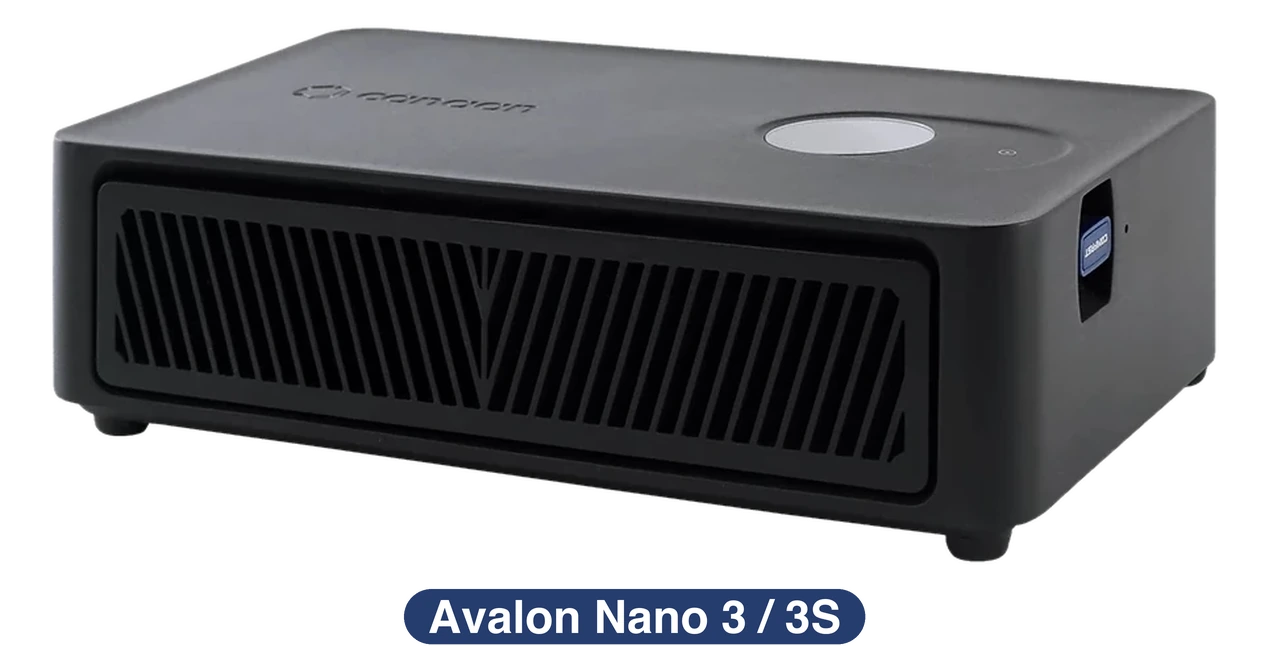
| Model | Algorithm | Coin | Hashrate | Consumption | Dimensions (mm) | Weight |
|---|---|---|---|---|---|---|
| Nano 3 | SHA256 | BTC, FB, XEC, DGB, BCH, BSV, QUAI | 4 Th/s (±10%) | 140 Watt (±10%) | 205 x 115 x 58 | 725 g |
| Nano 3S | SHA256 | BTC, FB, XEC, DGB, BCH, BSV, QUAI | 6 Th/s (±10%) | 140 Watt (±10%) | 205 x 115 x 58 | 860 g |
Canaan Avalon Nano 3 / Nano 3S Hashrate
The Avalon Nano 3 delivers 4 TH/s at 140 Watts (efficiency: 35 J/TH). The Nano 3S offers 6 TH/s at the same 140 Watts (23 J/TH). Both devices operate at a single fixed performance level with no mode switching.
🔊 Noise level: Nano 3 — 33–36 dB, Nano 3S — 35–40 dB — quieter than most household fans.
- Mine Bitcoin BTC + Fractal Bitcoin FB — https://pool.kryptex.com/btc
- Mine Fractal Bitcoin FB — https://pool.kryptex.com/fb
- Mine eCash XEC — https://pool.kryptex.com/xec
- Mine DigiByte DGB — https://pool.kryptex.com/dgb
- Mine Bitcoin Cash BCH — https://pool.kryptex.com/bch
- Mine Bitcoin SV BSV — https://pool.kryptex.com/bsv
- Mine QUAI SHA256 — https://pool.kryptex.com/quai-sha256
What to Mine on Canaan Avalon Nano 3 / Nano 3S
The Canaan Avalon Nano 3 / Nano 3S can mine SHA256 coins: BTC, FB, XEC, DGB, BCH, BSV, QUAI SHA256.
On the Kryptex Pool, merged mining of Bitcoin BTC + Fractal Bitcoin FB is available — you mine both coins simultaneously.
Canaan Avalon Nano 3 / Nano 3S Profitability
At the time of writing, estimated profitability in BTC+FB merged mining mode is ~$0.25/day for the Nano 3 and ~$0.38/day for the Nano 3S, excluding electricity costs.
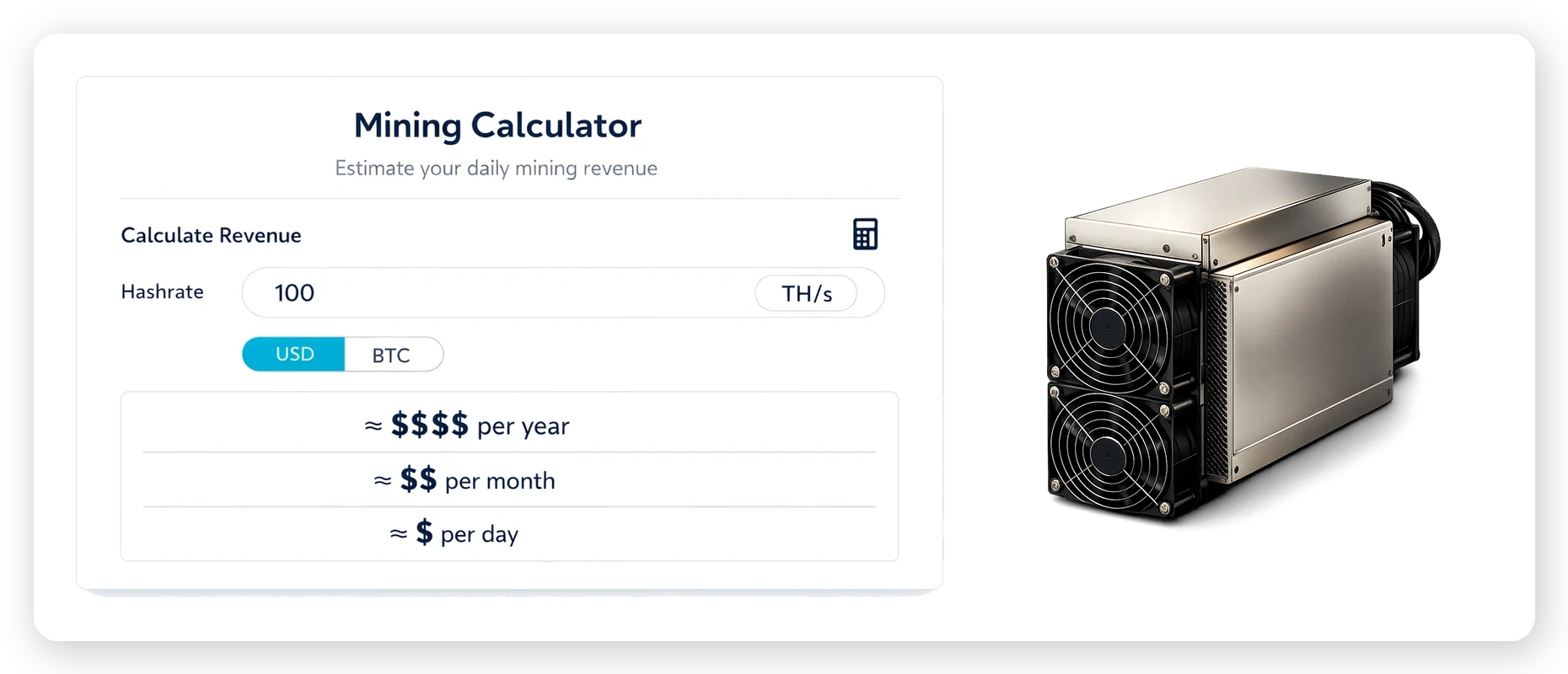
We recommend checking the current profitability in our mining calculator, where you can also factor in your electricity costs.
| Model | Hashrate | Consumption | Revenue (w/o El.) |
|---|---|---|---|
| Nano 3 | 4 Th/s (±10%) | 140 Watt (±10%) | ~$0.25 / day |
| Nano 3S | 6 Th/s (±10%) | 140 Watt (±10%) | ~$0.38 / day |
👉 Check Canaan Avalon Nano 3s profitability on the mining calculator
Solo Mining on Canaan Avalon Nano 3 / Nano 3S
Solo mining is a mode where you mine independently: if your miner finds a block, you receive the full block reward with no sharing. The pool fee for solo mining on Kryptex is 1%. What is SOLO Mining?
To enable solo mining, use the wallet format solo:WALLET_ADDRESS.WORKER in the Worker field instead of the standard WALLET_ADDRESS.WORKER.
⚠️ Important: For coins with lower network difficulty — FB, XEC, DGB, BCH, BSV — the chances of finding a block are significantly higher, making solo mining especially worthwhile for home miners.
Canaan Avalon Nano 3 / Nano 3S Setup
Package contents:
- Canaan Avalon Nano 3 or Nano 3S ASIC miner.
- Power supply with Type-C connection (optional).
- USB Wi-Fi adapter (Nano 3S).
Before installation, place the device on a flat, well-ventilated surface.
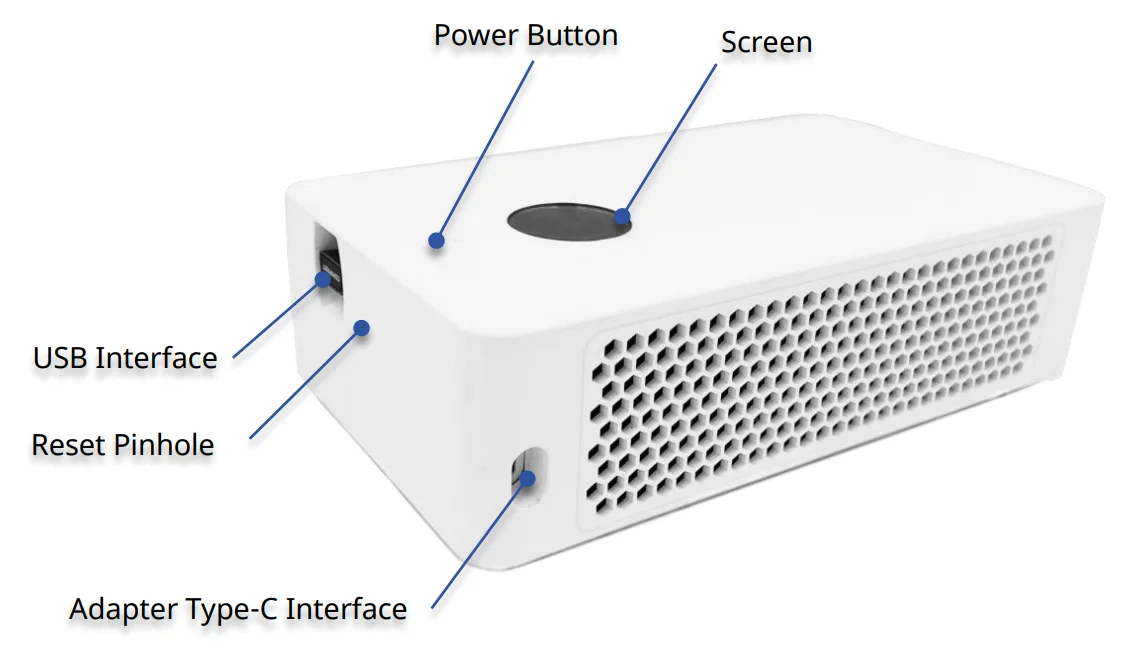
Power on the miner:
- Connect the USB-C power cable to the miner.
- The device will boot up in approximately 1–2 minutes.
- Device status is shown on the small built-in display.
Set up the configuration app:
- Download the Avalon Family mobile app from the App Store (iOS) or Google Play (Android).
- Open the app and tap the menu icon.
- Select "Add New Device."
- Tap "Search" to find your Avalon Nano 3.
- If using a wired connection, tap "Manually add running device" and enter the IP address shown on the front panel display.
- When the device appears, tap it to connect.
- Enter your Wi-Fi network name (SSID) and password, then tap "Save."
- The device will reboot and connect to your home network.
- Log in using the default credentials
rootfor Nano 3 andadminfor Nano 3S, and create a secure new password when prompted.
Configure pool settings:
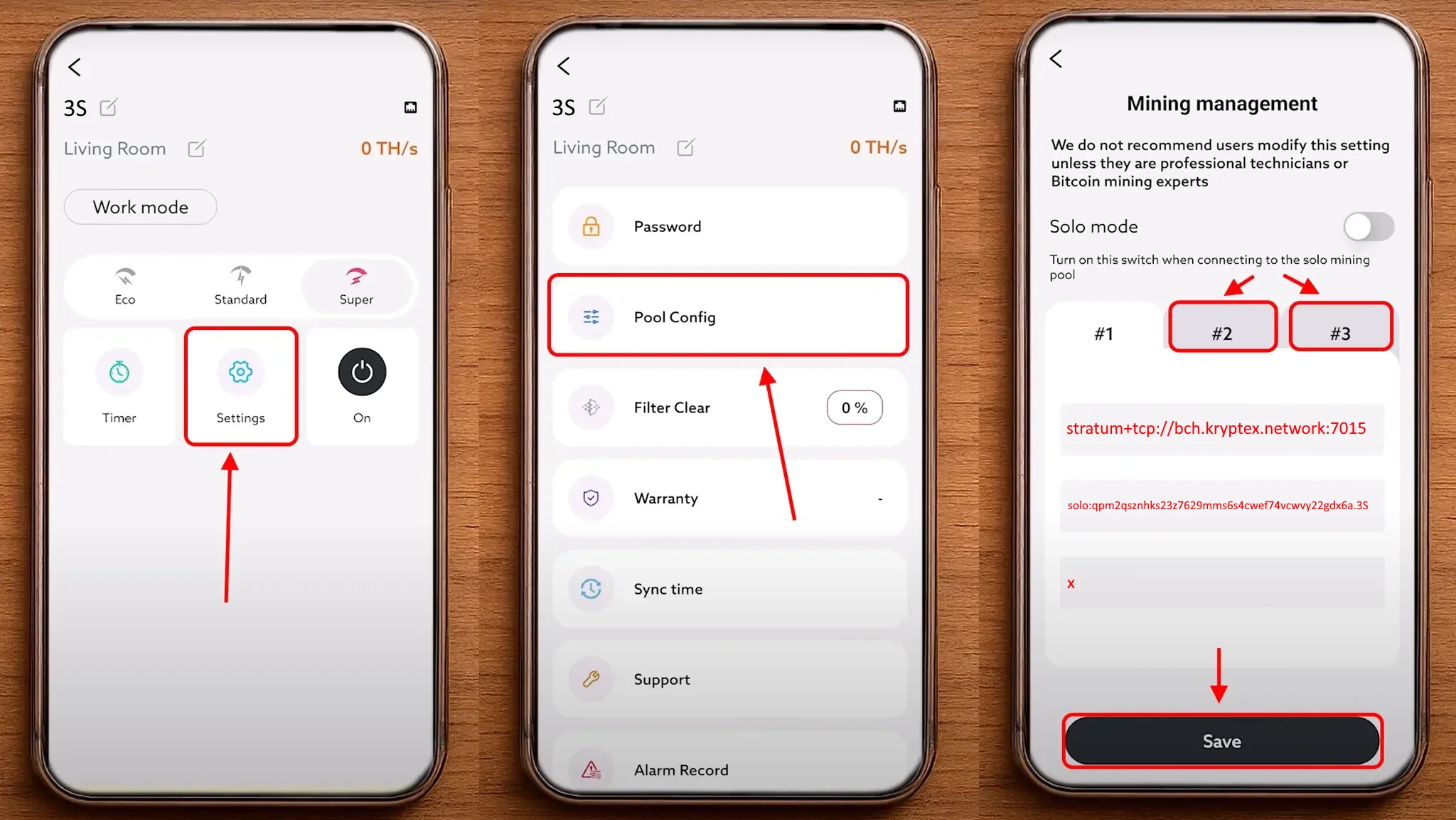
- Navigate to Mining → Pool Settings
- Enter the pool details (pool address, wallet address, and worker name)
- Worker — Specify wallet and worker name in the format
1KVms9T3RKmz6sVCeUPFPFgpYzMj9LZ5rE.Nano3, orsolo:1KVms9T3RKmz6sVCeUPFPFgpYzMj9LZ5rE.Nano3for solo mining, where:1KVms9T3RKmz6sVCeUPFPFgpYzMj9LZ5rEis your wallet addressNano3is your worker name (Latin characters and numbers)
- ⚠️ QUAI SHA256 uses PROP mode with no SOLO option. Blocks require two weeks to confirm.
Make sure to fill in all 3 pool slots with the same pool settings. Click Save to apply the settings and wait for the ASIC to reboot.
Verify miner operation:
- After the reboot, wait 5–10 minutes.
- In the web interface, you'll see the current hashrate and pool connection status.
- Check that your worker appears on https://pool.kryptex.com
💡 One pool address is listed per coin. Additional regional addresses can be found on each coin's pool page at pool.kryptex.com.
| Coin | Pool Address | Worker — Wallet Address and Worker | Password |
|---|---|---|---|
| BTC+FB | stratum+tcp://btc.kryptex.network:7014 |
BTC_WALLET_ADDRESS.WORKER_NAME |
x or leave blank |
| FB | stratum+tcp://fb.kryptex.network:7013 |
FB_WALLET_ADDRESS.WORKER_NAME |
x or leave blank |
| FB (SOLO) | stratum+tcp://fb.kryptex.network:7013 |
solo:FB_WALLET_ADDRESS.WORKER_NAME |
x or leave blank |
| XEC | stratum+tcp://xec.kryptex.network:7036 |
XEC_WALLET_ADDRESS.WORKER_NAME |
x or leave blank |
| XEC (SOLO) | stratum+tcp://xec.kryptex.network:7036 |
solo:XEC_WALLET_ADDRESS.WORKER_NAME |
x or leave blank |
| DGB | stratum+tcp://dgb.kryptex.network:7037 |
DGB_WALLET_ADDRESS.WORKER_NAME |
x or leave blank |
| DGB (SOLO) | stratum+tcp://dgb.kryptex.network:7037 |
solo:DGB_WALLET_ADDRESS.WORKER_NAME |
x or leave blank |
| BCH | stratum+tcp://bch.kryptex.network:7015 |
BCH_WALLET_ADDRESS.WORKER_NAME |
x or leave blank |
| BCH (SOLO) | stratum+tcp://bch.kryptex.network:7015 |
solo:BCH_WALLET_ADDRESS.WORKER_NAME |
x or leave blank |
| BSV | stratum+tcp://bsv.kryptex.network:7047 |
BSV_WALLET_ADDRESS.WORKER_NAME |
x or leave blank |
| BSV (SOLO) | stratum+tcp://bsv.kryptex.network:7047 |
solo:BSV_WALLET_ADDRESS.WORKER_NAME |
x or leave blank |
| QUAI SHA256 (PROP) | stratum+tcp://quai-sha256.kryptex.network:7044 |
QUAI_WALLET_ADDRESS.WORKER_NAME |
x or leave blank |
Canaan Avalon Nano 3 / Nano 3S Firmware Update
You can update the firmware in several ways:
Method 1: Via web interface
- Log into the miner's web interface.
- Go to the System or Firmware section.
- If an update is available, click "New Firmware Available" and follow the instructions.
Method 2: Via mobile app
- Download the Avalon Family app from App Store (iOS) or Google Play (Android)
- Add your device by connecting to its WiFi network.
- The app will automatically suggest a firmware update.
Method 3: Via USB flash drive
- Go to the firmware download page: https://www.canaan.io/support/file_download
- Select the Avalon Nano product line.
- Download the firmware file.
- Format a USB drive to FAT32 and copy the firmware file onto it.
- Insert the USB drive with the miner powered off.
- Power on the miner — the update will start automatically.
⚠️ Do not disconnect the miner during a firmware update.
Need Help?
Have any questions, something is unclear, or you can't connect? Contact support — we're happy to assist!
Email support at support@kryptex.com