How to create a Bitcoin SV (BSV) wallet
۱۴۰۵/۶/۲۴
💎 Already know what BSV is and ready to mine? Connect your SHA256 ASIC to Kryptex Pool — Start Mining BSV →
Bitcoin SV (BSV) is a fork of Bitcoin Cash based on the SHA256 algorithm. It is mined on ASIC miners and traded on MEXC, Gate, and KuCoin.
In this article, we'll cover several wallet options for BSV:
- Guarda — recommended for most users.
- BSV Desktop — official desktop wallet, for advanced users only.
- ElectrumSV — for advanced users, supports BSV/BCH split.
- Exchange wallet on MEXC.
⚠️ If you plan to mine directly to an exchange — regularly check that your BSV deposit address is still current. Exchanges sometimes update it, and an outdated address may result in loss of funds.
Guarda Wallet (recommended)
Guarda is a non-custodial multi-currency wallet. It works on Windows, macOS, Linux, mobile devices, and in the browser.
Step 1 — Create a wallet
Go to guarda.com and click "Create a new wallet".
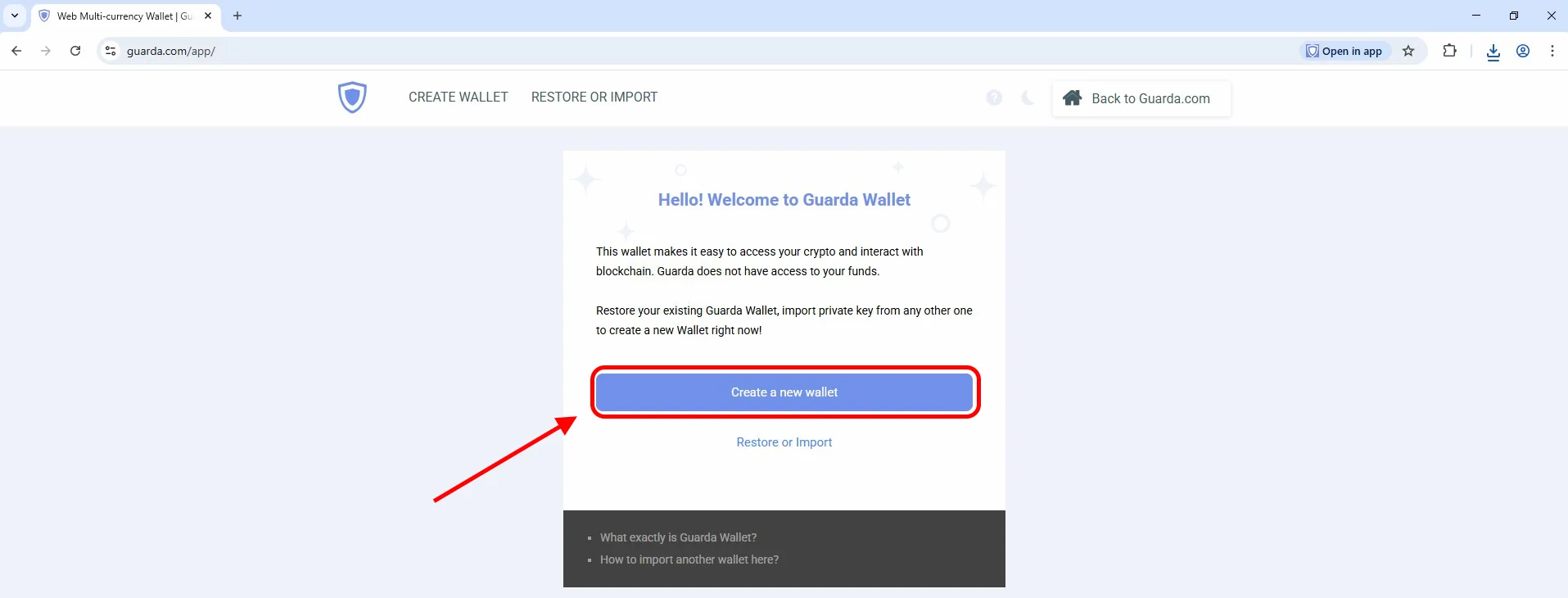
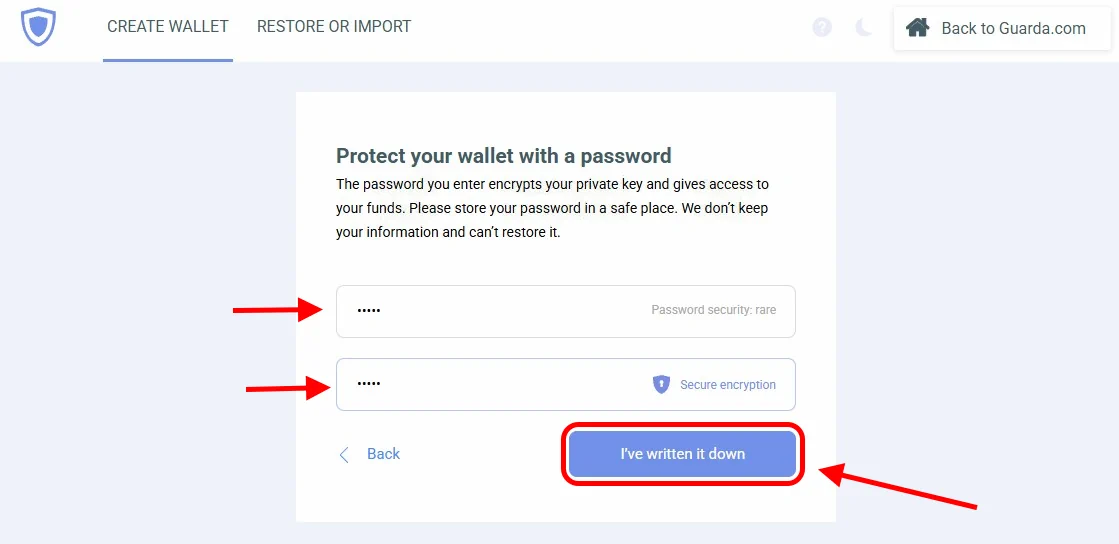
Enter a strong password with letters, numbers, and symbols, and type it twice — you can generate one at online-password-generator.com. Click "I've written it down". Write down your password and store it in a safe place — without it and the backup file, it is impossible to recover your wallet.
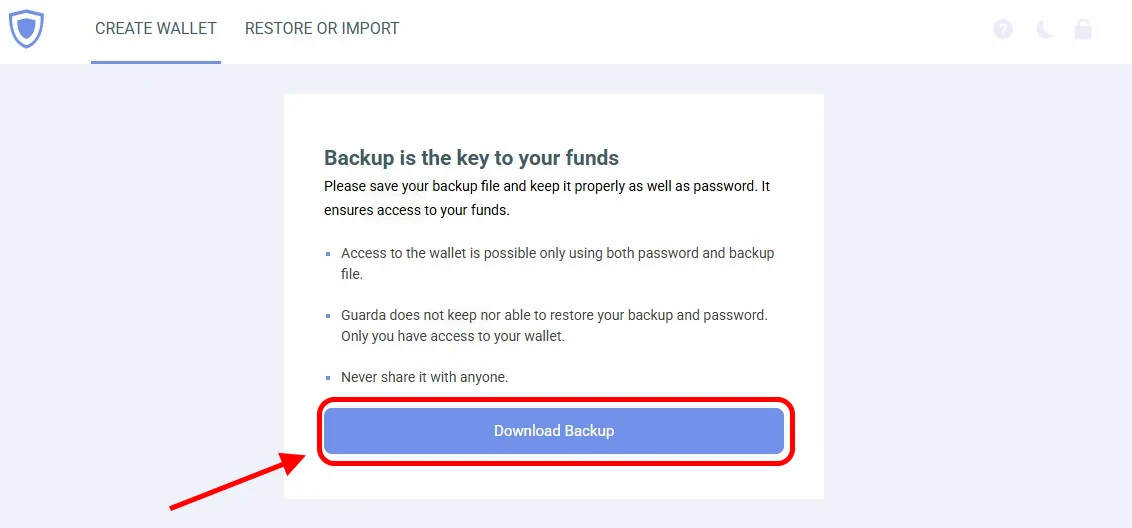
Step 2 — Save the backup
Click "Download Backup" — this is a mandatory step. Guarda automatically generates a backup file (txt) after each important action — store it in a safe place. This document together with your password is the only way to restore access to your wallet. The service does not store your data and cannot recover it.
Step 3 — Add BSV and get an address
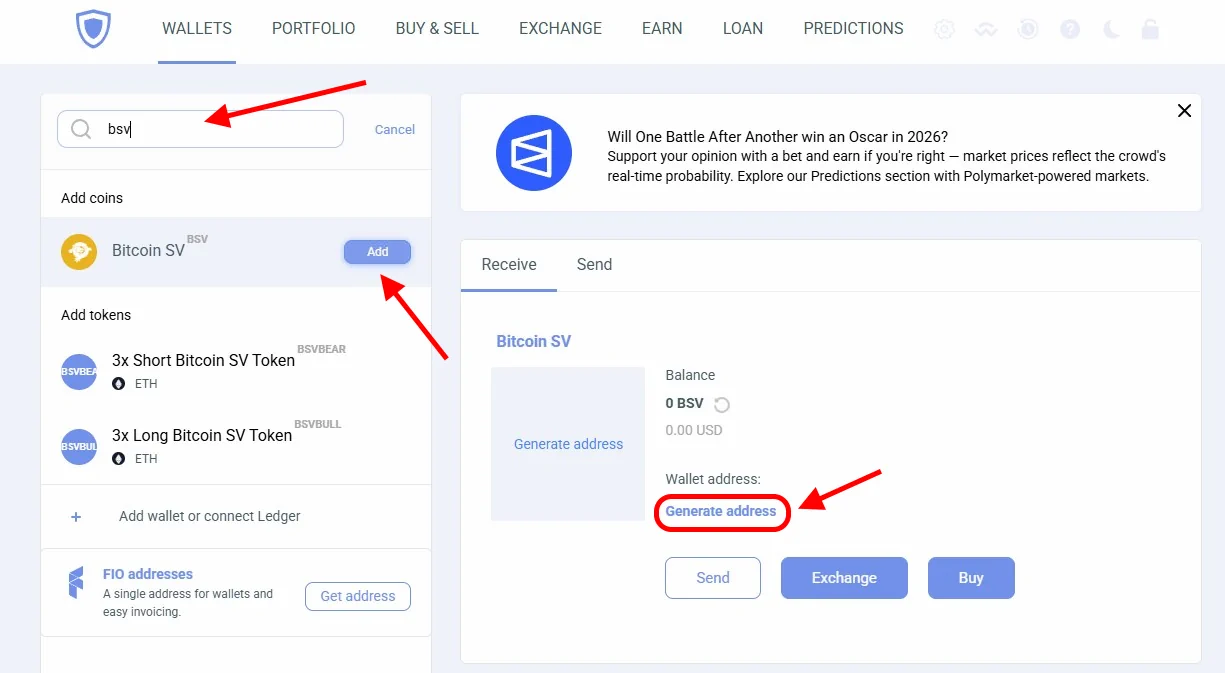
In the search bar, type "BSV", find Bitcoin SV and click "Add".
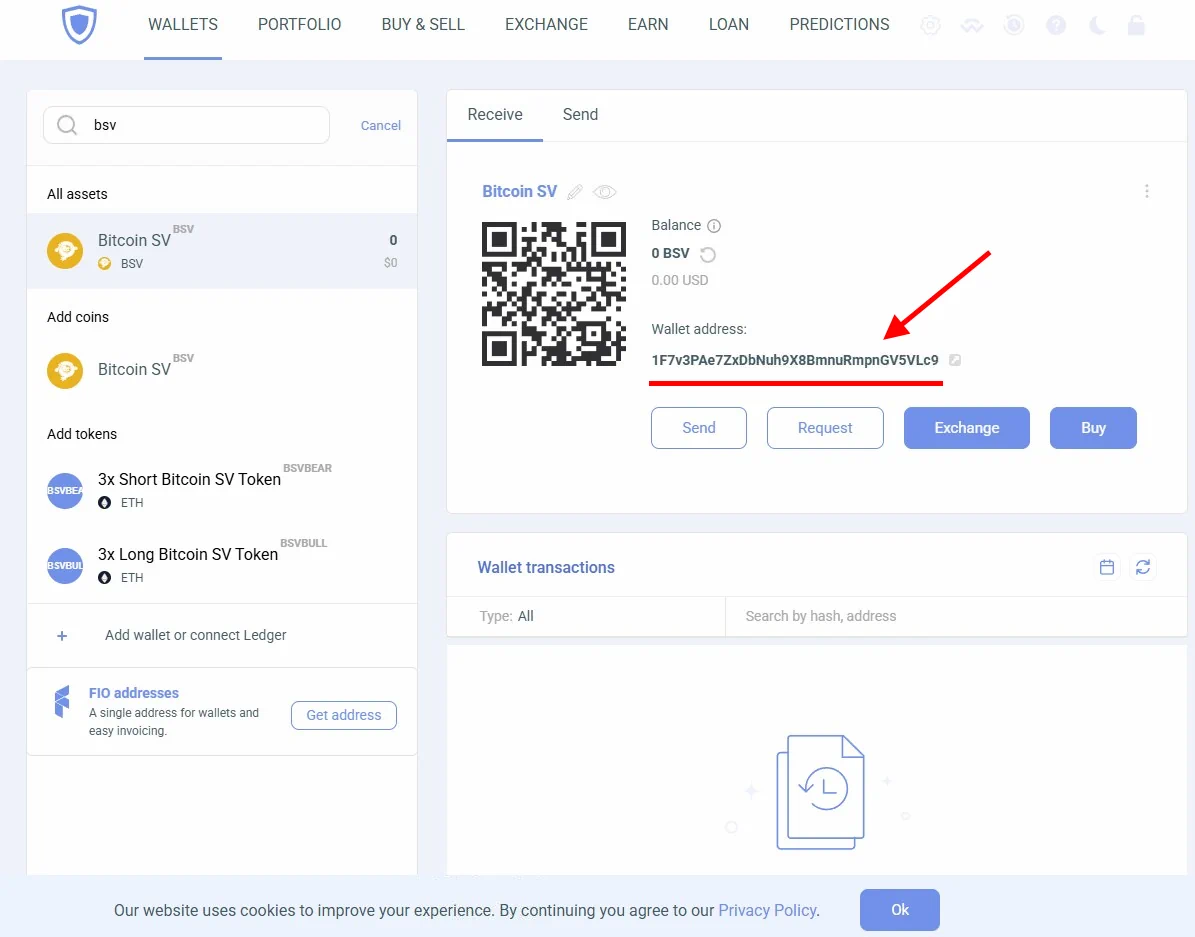
Once added, click "Generate address" — your BSV address will appear in the wallet.
The address is ready — copy it and paste it into your miner or pool settings in the "Wallet Address" field.
BSV Desktop (advanced users)
The official desktop wallet from the BSV Blockchain team. For advanced users only — creating a wallet requires a coin deposit. Supports a full network node.
ElectrumSV (advanced users)
A lightweight wallet that supports BSV/BCH splitting. Suitable for users who want to split coins after the fork.
Exchange Wallet on MEXC
An exchange wallet is the easiest option — no software installation required. The downside: you don't control the private key, and the deposit address may change.
Register on MEXC.
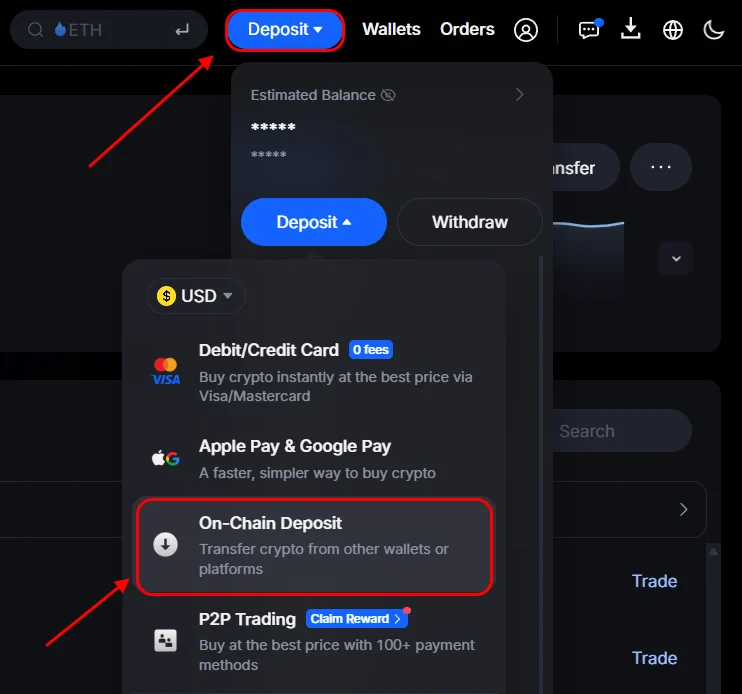
Go to Deposit → On-Chain Deposit.
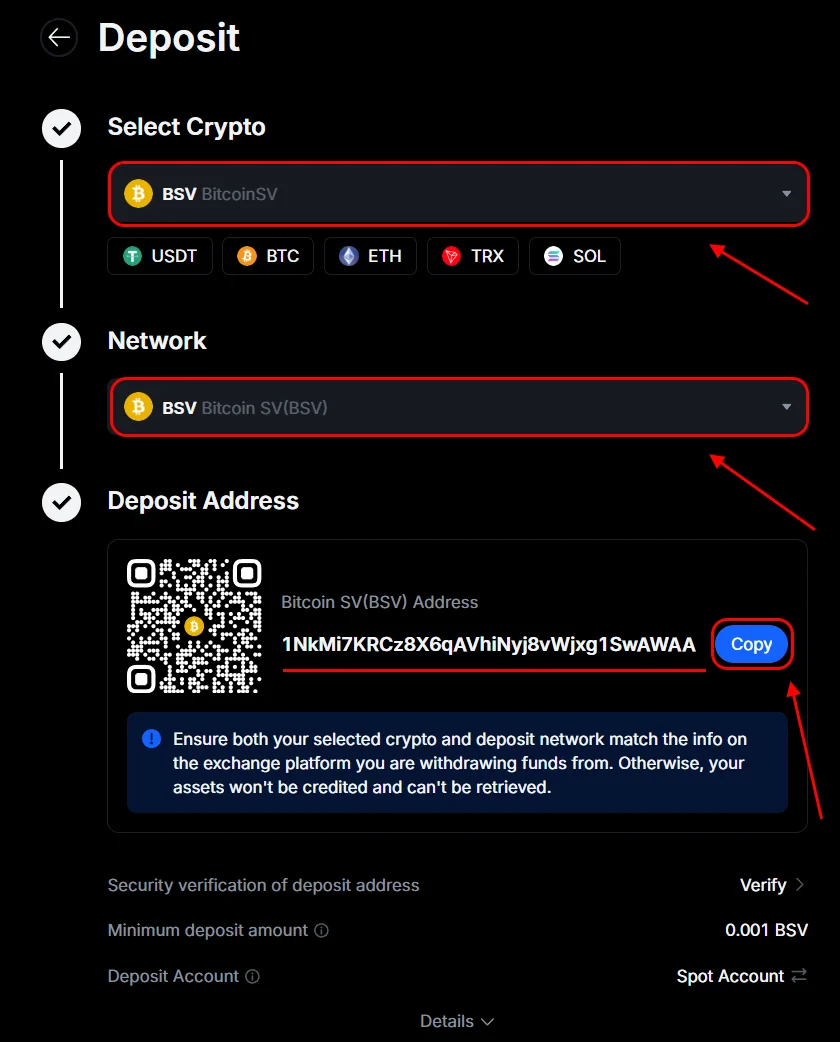
Search for BSV in the search bar, choose BSV Network.
Copy the deposit address and use it in your miner or pool settings.
Where to Mine BSV?
Your wallet is ready — time to start mining! Connect your SHA256 ASIC to Kryptex Pool and receive payouts directly to the address you just created.
💎 How to Mine Bitcoin SV (BSV) on Kryptex Pool →
Need Help?
Have any questions, something is unclear, or you can't connect?
Contact support — we're happy to assist!
Email support at support@kryptex.com.