How to mine QUAI KawPow
15.09.2026
Check our YouTube Video how to mine QUAI KawPow
QUAI KawPow — a KawPow algorithm fork of the QUAI coin within the QUAI SOAP project.
Quai is a high-throughput cryptocurrency. It runs on its own blockchain and processes over 50,000 transactions per second without compromising decentralization. The value of the project lies in fast and low-cost transactions. Its goal is to build a decentralized global payment system capable of handling massive transaction volumes.
SOAP (Subsidized Open-market Acquisition Protocol) is designed to ensure the resilience and security of the QUAI network. QUAI SOAP sells partner-chain tokens on the market and buys QUAI. Miners are rewarded in QUAI coins for their work.
Supported Miners
To mine QUAI KawPow, you need a modern Nvidia, AMD, or Intel ARC GPU released no earlier than 2016. A minimum of 8 GB of memory is recommended. Older GPUs or those with less memory may not work.
KawPow is sensitive to core, memory, and power limit overclocking.
- The higher the Power Limit, Core Clock, and Memory Clock, the higher the hashrate on QUAI KawPow.
- KawPow runs hot, so overclock your GPUs carefully.
QUAI can also be mined with Scrypt ASICs, SHA256 ASICs, or GPUs using the QUAI ProgPow algorithm.
Register a QUAI Wallet
To mine QUAI KawPow, you need to register a QUAI wallet address.
- Create a personal wallet address in Pelagus Wallet — https://pelaguswallet.io/
- A wallet address can also be obtained from exchanges: MEXC, Gate.io
👉 Detailed guide on how to register a QUAI wallet address.
We strongly recommend using only personal wallets for mining and long-term storage.
Quick-start mining settings
⛏️ Mine QUAI KawPow — https://pool.kryptex.com/quai-kawpow
🔗 QUAI KawPow Pool URLs:
- Global:
stratum+tcp://quai-kawpow.kryptex.network:7043 - EU:
stratum+tcp://quai-kawpow-eu.kryptex.network:7043 - US:
stratum+tcp://quai-kawpow-us.kryptex.network:7043 - SG:
stratum+tcp://quai-kawpow-sg.kryptex.network:7043 - RU:
stratum+tcp://quai-kawpow-ru.kryptex.network:7043
Connecting to the QUAI KawPow Pool: Step-by-Step Guide
If you are an experienced miner, you can skip this part of the guide. But if you are a beginner and have never set up mining on your own — this guide is for you! Keep reading:
Download a miner for Quai KawPow. We recommend SRBMiner for AMD and Intel ARC и Rigel for NVIDIA. We will use Rigel as an example.
Antivirus programs don’t like miners. During the download, your antivirus or firewall may warn you of a potential threat — they are being cautious because they can’t tell whether you’re intentionally downloading mining software or not. Allow the file to download, or temporarily pause your antivirus while the file is being downloaded.
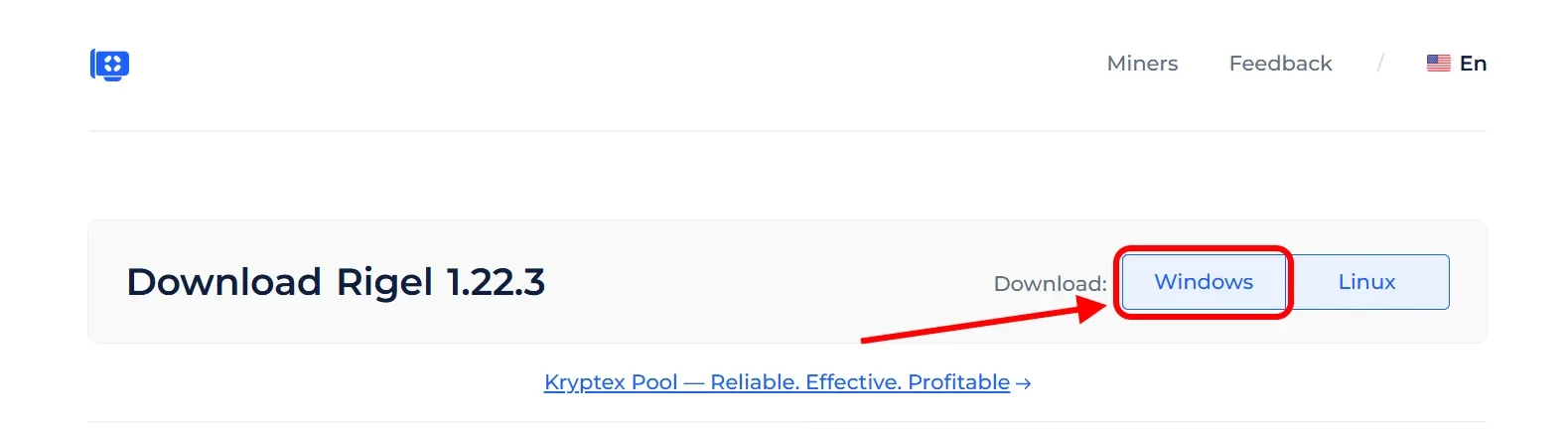
Extract the miner’s archive to a folder convenient for you, for example, to your desktop.
- Add miner files to your antivirus exclusion list if, for some reason, it decides to block or delete them. Disable PUA protection. Do not add the entire miner folder, but only specific files. Otherwise, if an actual virus gets into the miner folder, the antivirus will not be able to protect you.
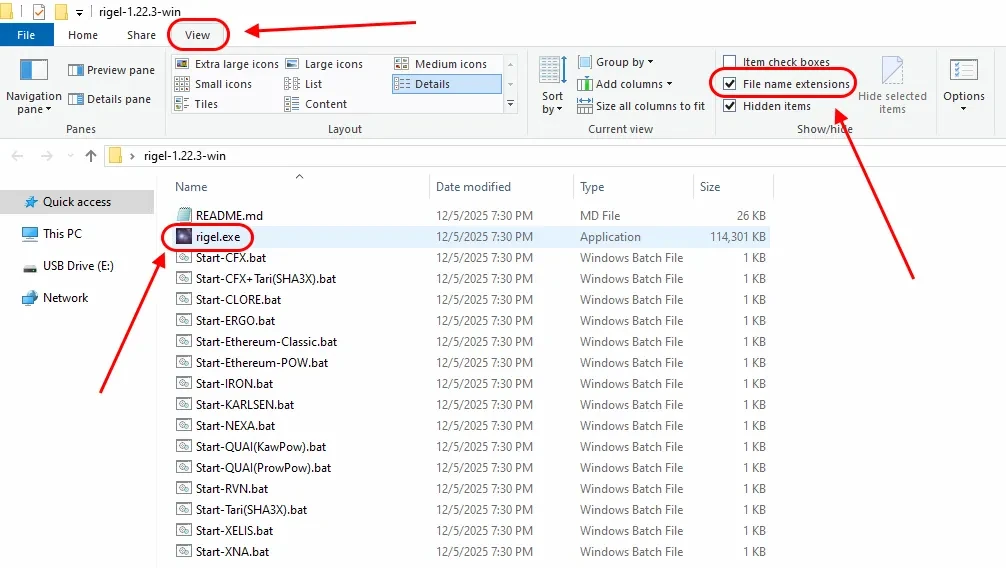
Open the folder with the miner, and turn on the display of file extensions:
In the explorer window, click "View”;
Tick “File name extensions” option.
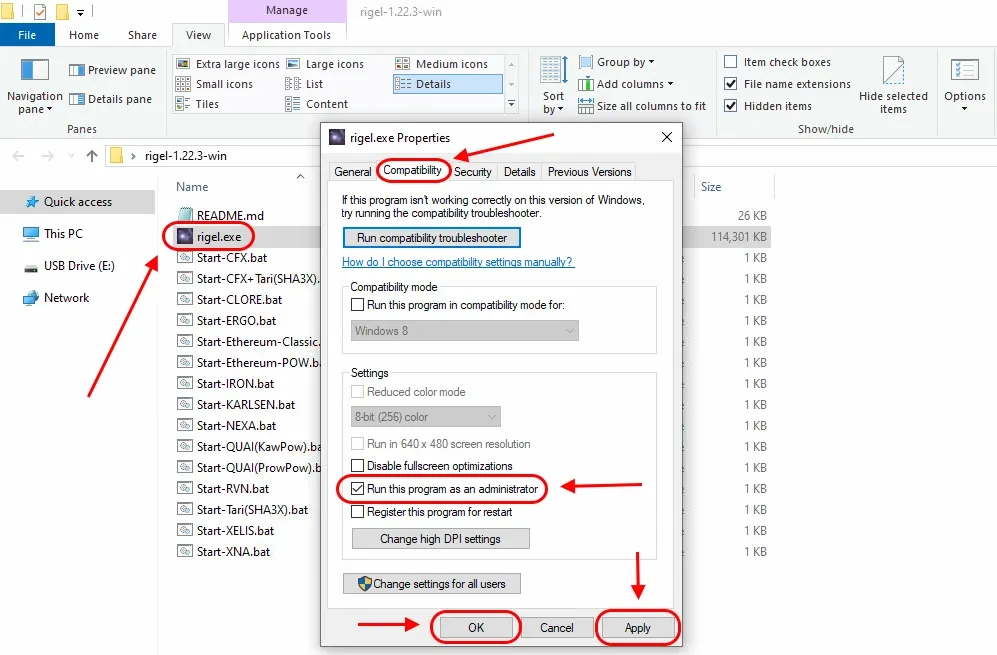
Allow the miner to run with administrative privileges:
Right Mouse Click
rigel.exefileChoose “Properties”
Choose “Compatibility” tab
Tick “Run this program as an administrator”
Press “Apply” and “OK”
Open the Quai Network (QUAI) pool page — https://pool.kryptex.com/quai-kawpow
In the “Wallet address” field, enter the wallet address that you registered for earlier. Wallet address example:
0x002fb1466602cdca5b4b4010e64154443417bccdIn the “Worker name” cell, enter the name of the mining rig that will mine on the pool, for example,
MyFirstRig. Please note that the name is entered only in Latin letters or numbers, without spaces.Copy the finished command from the cell “BAT file example” by pressing special “Copy” button.
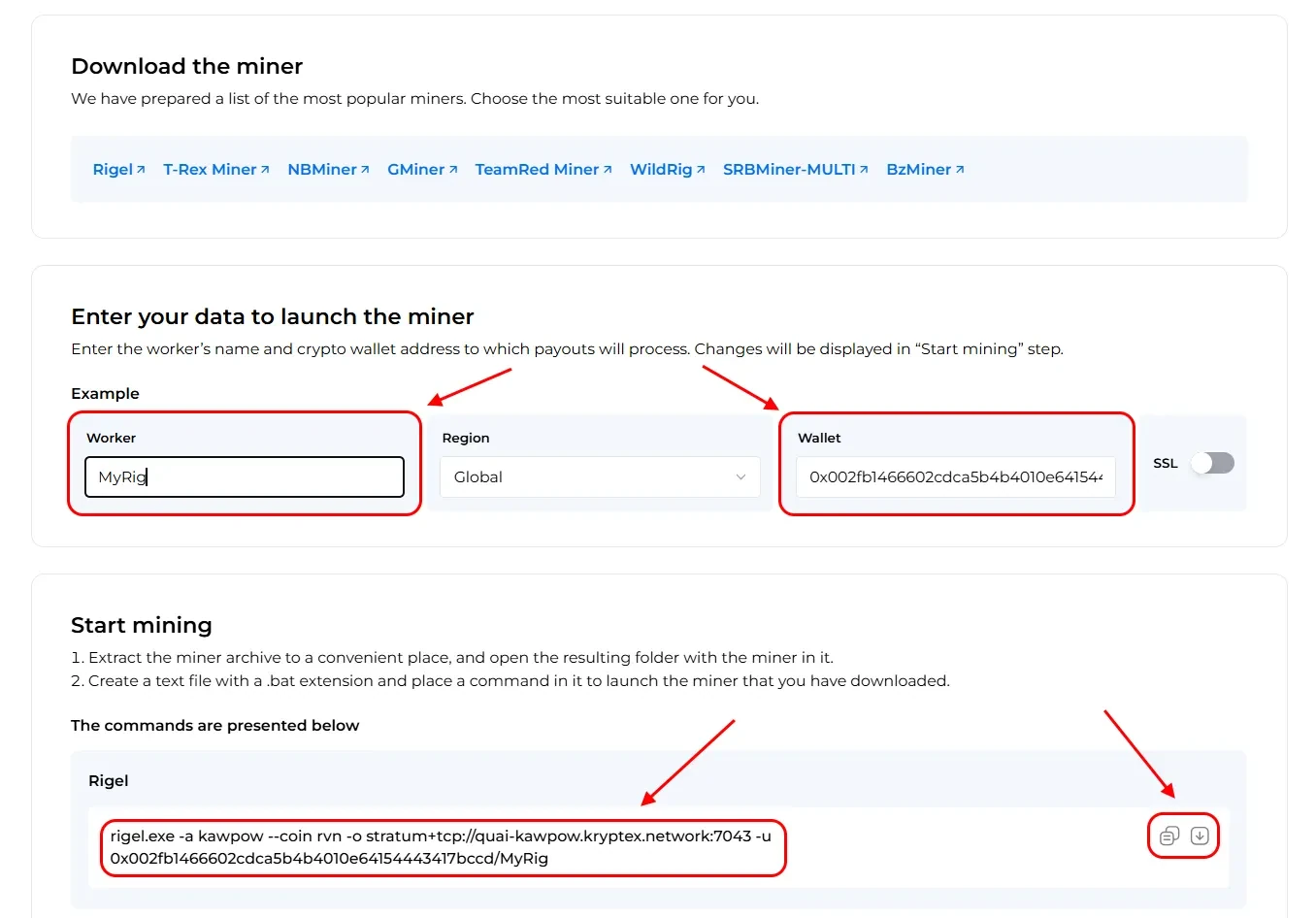
In the folder with the miner, create a plain text document
.txtwith the Notepad application. Let's call itKryptex QUAI KawPow. Then, open the file, and paste the copied sample BAT file into the document. Or you can download a ready-made .bat file from the pool’s page and skip this step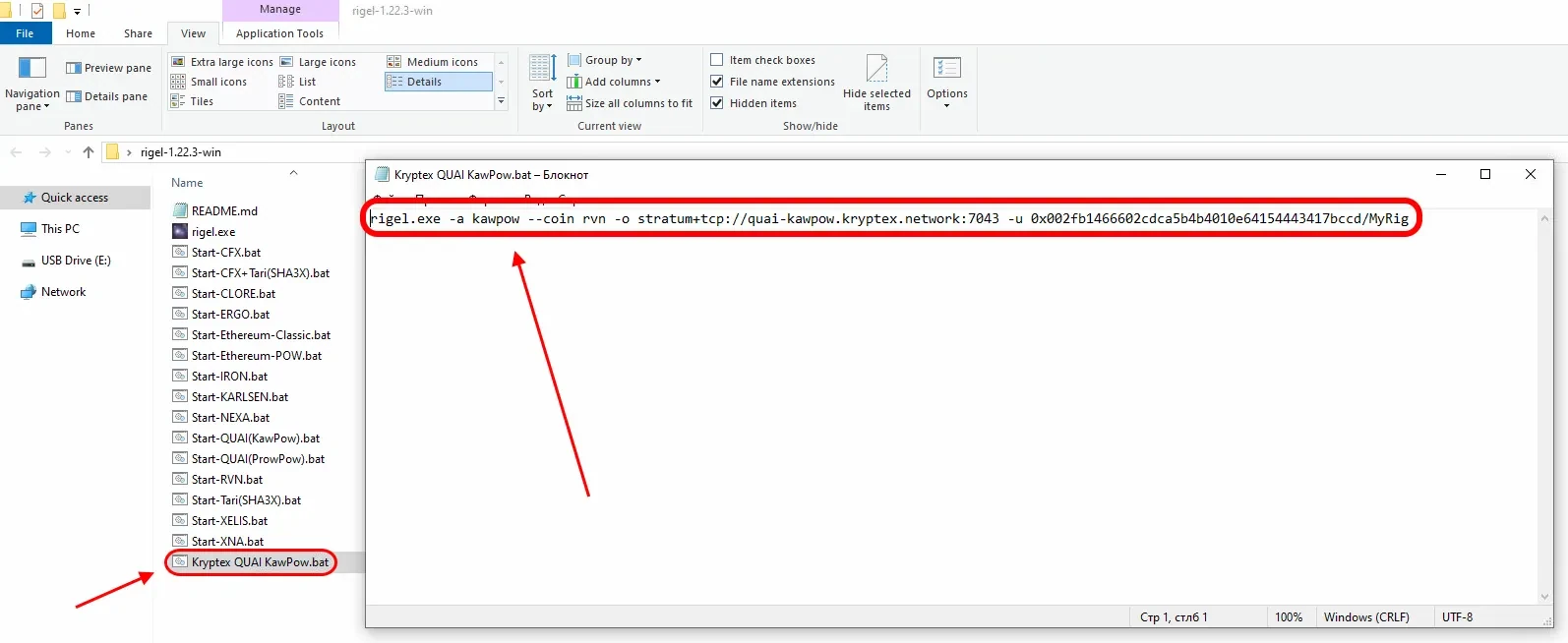
Save the file, and make it a BAT file. Rename your file’s
.txtextension into.batRun the BAT file and mining will start!
If, at the time of launch, your antivirus or firewall may display a message about a suspicious file or a request to provide access to the Internet — allow the access and add the miner's files to the exceptions.
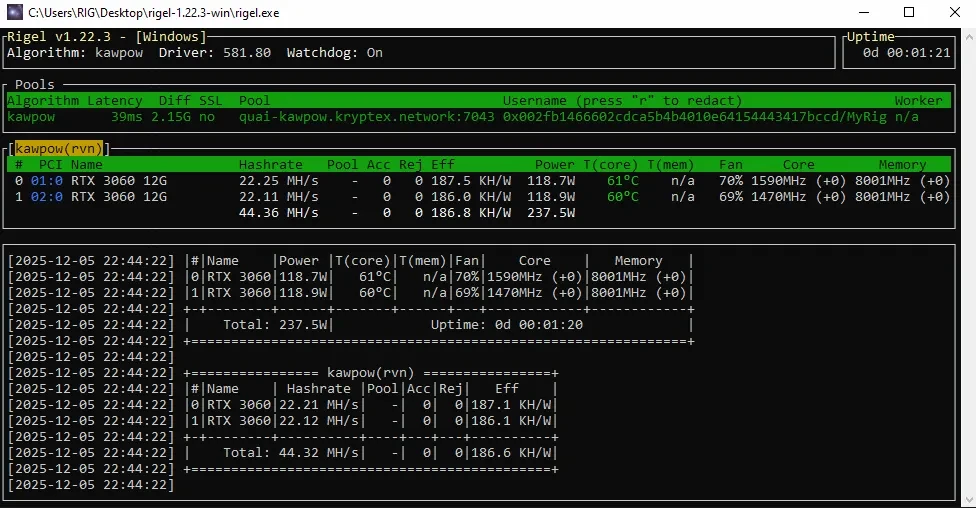
Monitoring Your Pool Mining Activity
Open the Quai KawPow pool page — https://pool.kryptex.com/quai-kawpow
Paste your wallet address into the search field, and press Enter.

You will see a page with the statistics of your wallet and your mining rigs.
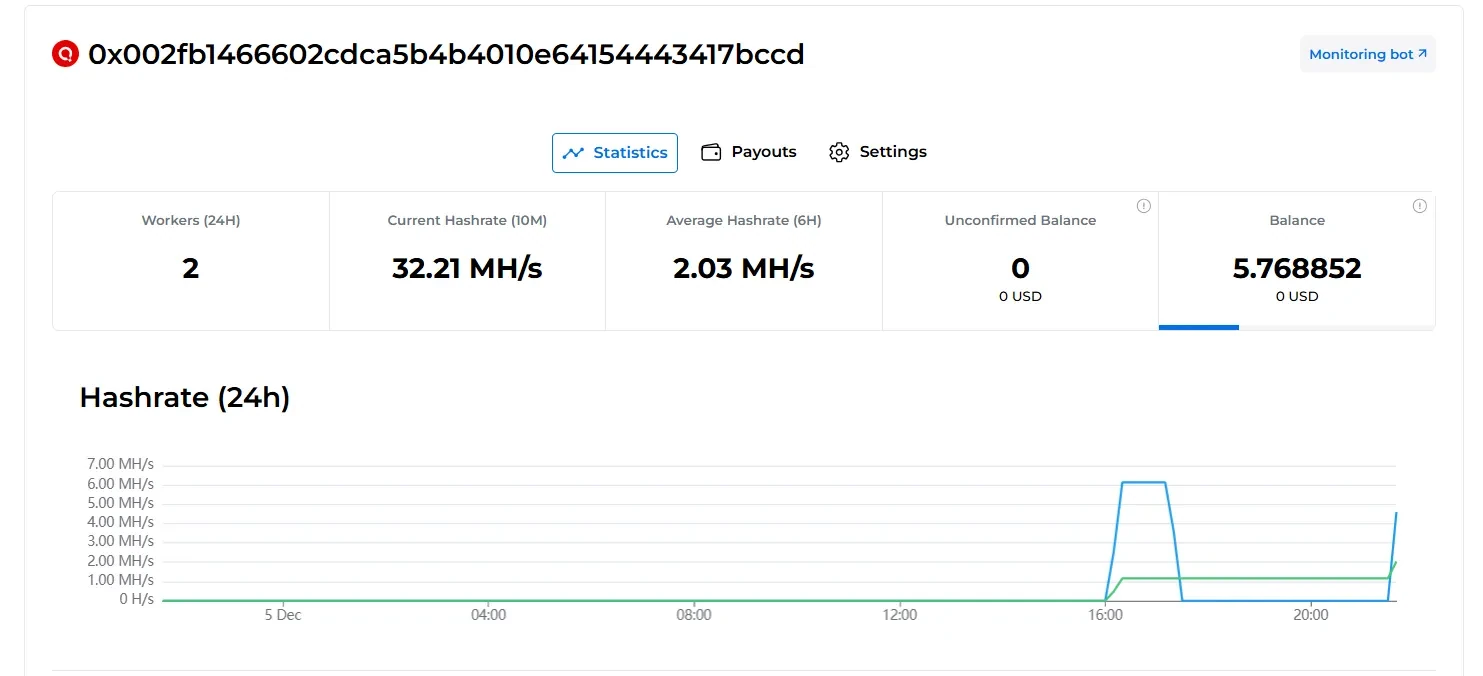
Payouts
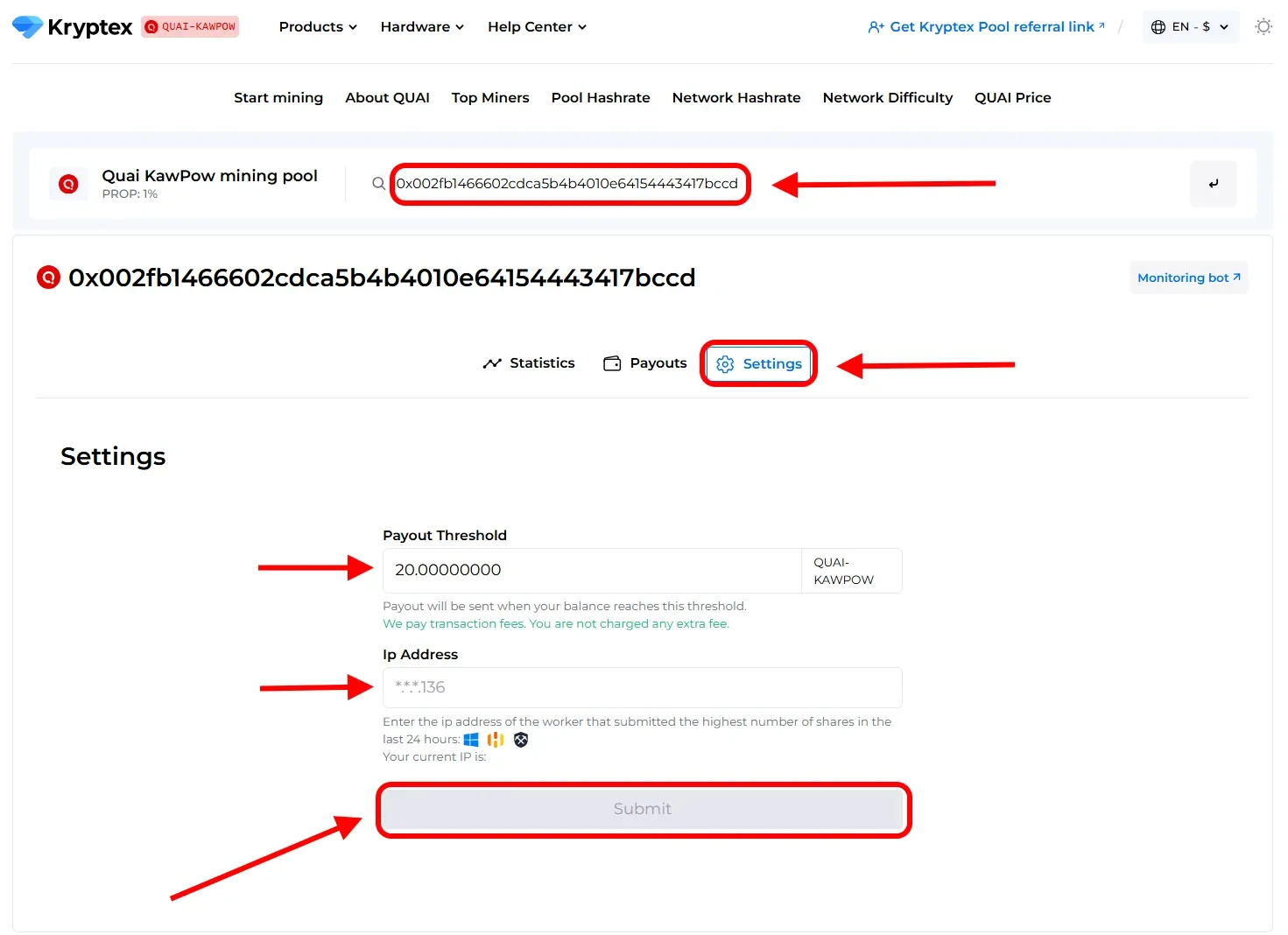
How to set the payout threshold?
Open the pool page and enter your mining address;
Press the “Settings” button.
Set the desired “Payment Threshold”. Minimum and maximum payment threshold mentioned at the pool home page. There is no payout fee — Kryptex pays it for you 🖤
In the "Ip Address" cell, enter the IP address of the worker whose name the site prompts you. The IP address of your mining rig. The IP address must end the same as indicated in the prompt on the site (see the last digits). Learn your IP here https://ipinfo.io/ip
Press the “Submit” button.
Track the status of your payments in the "Payouts" tab.
Need Help?
Have any questions, something is unclear, or you can’t connect?
Contact support — we're happy to assist!
Email support at support@kryptex.com.