How to create BitcoinII (BC2) wallet
14.9.2026
⚠️ On 18 September 2026 the BC2 pool will be shut down. If you mine BC2 or were planning to, please switch to another coin. We recommend switching to BTC or BCH.
💎 Already know what BC2 is and ready to mine? Connect your SHA256 ASIC to Kryptex Pool — Start Mining BC2 →
Bitcoin II (BC2) is a Bitcoin fork based on the SHA256 algorithm. It is mined on SHA256 ASIC miners and traded on the CoinEX exchange.
In this article, we’ll cover two ways to create a BC2 wallet:
- Desktop Bitcoin II Core wallet (recommended).
- Exchange wallet on CoinEX.
⚠️ If you plan to mine directly to an exchange — regularly check that your BC2 deposit address is still current. Exchanges sometimes update it, and an outdated address may result in loss of funds.
Step 1 — Installation
Go to the GitHub page, find the Assets section and download the file for your operating system: for Windows — an archive (.zip), for Linux — an archive (.tar.gz). Download →
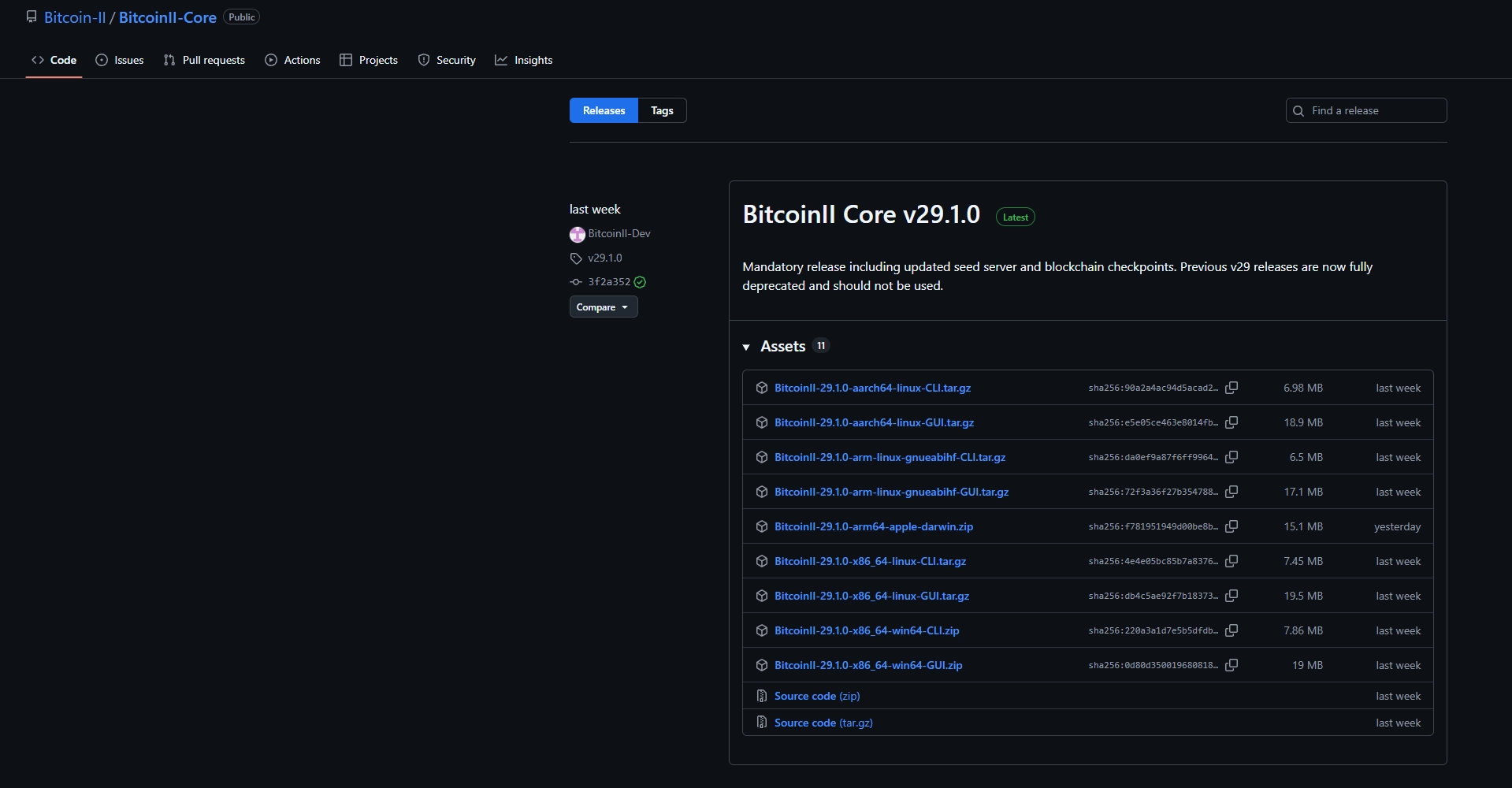
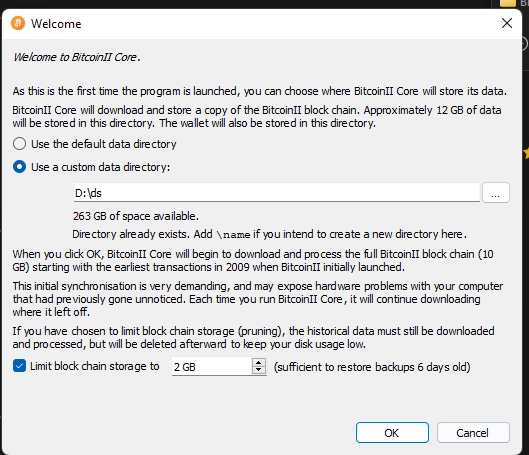
Select the installation folder and the blockchain size limit. We recommend allocating at least 5 GB — this is enough to get started.
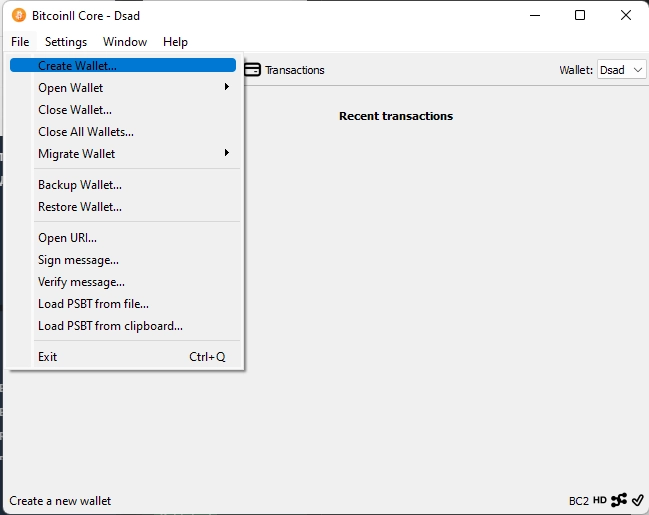
Step 2 — Creating a Wallet
In the dropdown menu, select “File→Create Wallet”.
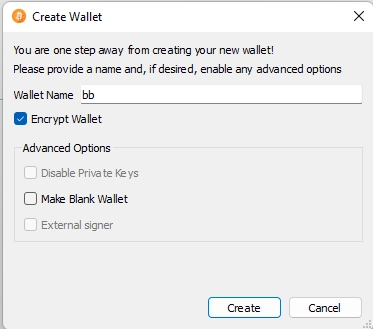
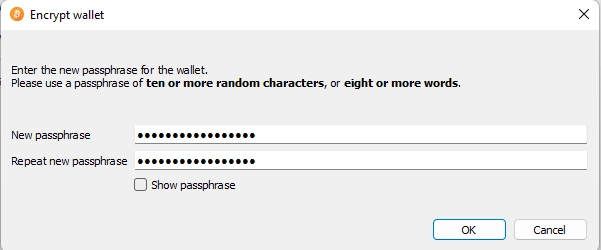
Come up with a password and a wallet name, check the “Encrypt Wallet” box. The password must include at least 10 characters or 8 words. Write down the password and store it in a safe place — if you forget it, all funds in the wallet will be lost.
Step 3 — Getting an Address
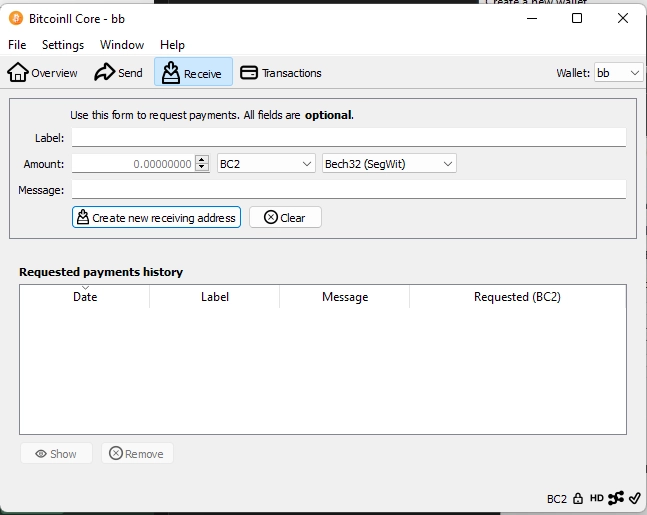
Go to the “Receive” tab, optionally fill in the fields, select the BC2 network and click “Create new receiving address”.
In the address type dropdown, select BC2 — this is the denomination accepted by all mining pools. Other options are just smaller units of the same coin.
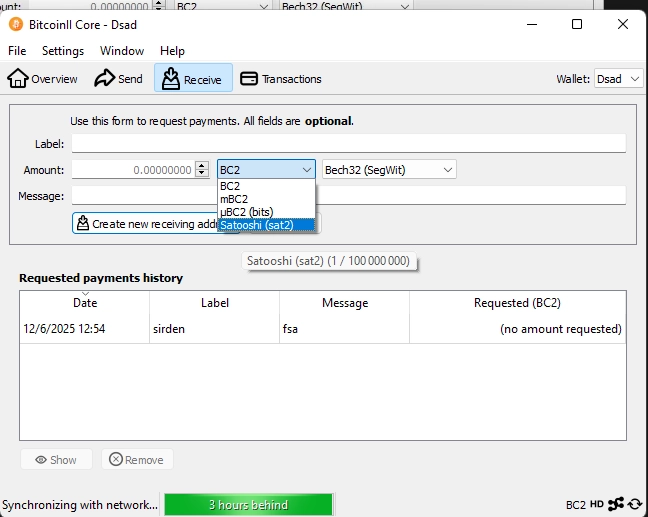
For the address format, select Bech32 — the modern standard with lower fees and built-in protection against typos.
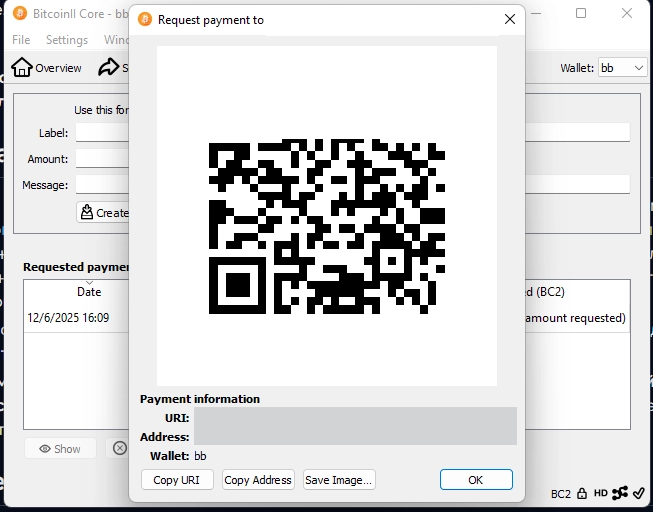
A popup window will appear with a QR code and address; you can create several different addresses. Copy the address and paste it into your miner or pool settings in the “Wallet Address” field — and start mining! After receiving a payout, make sure to sync the wallet with the network to see your current balance. The sync status is shown in the bottom bar of the wallet.
If you want to create a backup copy of the wallet, go to “File→Backup Wallet”, enter a name and save it to a convenient location.
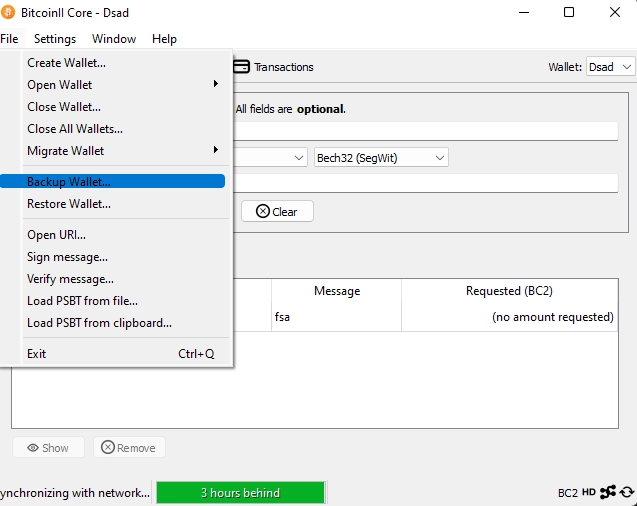
To restore from a backup, select the file and click “File→Restore Wallet”, enter a name and save.
Creating a Wallet on CoinEX
An exchange wallet is the easiest option — no software installation needed. The downside: you don’t control the private key, and the deposit address may change.
- Register on CoinEX
- Go to Assets → Deposit
- Search for BC2 in the search field
- Copy the deposit address and use it in your miner or pool settings
Where to Mine BC2?
Your wallet is ready — time to start mining! Connect your SHA256 ASIC to Kryptex Pool and receive payouts directly to the address you just created.
💎 How to Mine Bitcoin II BC2 on Kryptex Pool →
Need Help?
Have any questions, something is unclear, or you can’t connect?
Contact support — we're happy to assist!
- Telegram Support.
- Discord Support.
- Email support at support@kryptex.com.