- Min. payout1PRL
- AlgorithmPearlHash
- Hashrate34.20 EH/s
- Miners25717
- Workers109425
- Auto-convertYes
Start mining
- prl.kryptex.network:7048
Global
- prl-eu.kryptex.network:7048
Europe
- prl-us.kryptex.network:7048
North America
- prl-br.kryptex.network:7048
South America
- prl-sg.kryptex.network:7048
Singapore
- prl-hk.kryptex.network:7048
China (Hong Kong)
- prl-ru.kryptex.network:7048
Russia
- prl-ae.kryptex.network:7048
Middle East
Hashrate
≈ 0.00$/year≈ 0.00$/month≈ 0.00$/day
Start mining Pearl
- Windows
- Linux
- Docker
- HiveOS
- MMPOS
Mine PRL, receive USDT
Use username as a wallet to get:
- BTC, USDT, Volet, and even gift card withdrawals
- Instant withdrawal as soon as you reach $1
- Get payouts in Bitcoin instead of PRL
or
Create a wallet for your coin
We recommend Pearl Desktop Wallet.
Exchange your coin
How to connect HiveOS to Kryptex
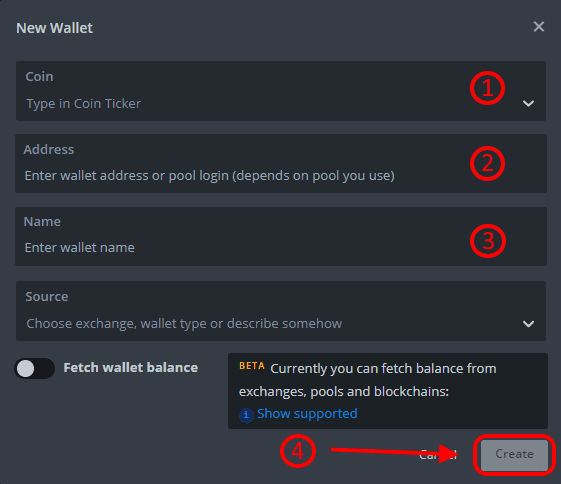
Creating the PRL Wallet
- Choose the coin type PRL
- Enter your own wallet address for the specific mining coin: PRL
- Name the wallet as you wish.
- Confirm the creation of the wallet.
Create the Flight Sheet
- Click the Flight Sheet JSON below to copy it.
- In your HiveOS farm, open the Flight Sheets tab.
- Click Import from Clipboard to import the copied Flight Sheet.
- Select your PRL wallet and confirm the creation of the Flight Sheet.
Choose a region:
Copy Flight Sheet JSON:
{
  "name": "Kryptex_Pearl_KRig",
  "isFavorite": false,
  "items": [
    {
      "coin": "PRL",
      "pool_ssl": true,
      "pool_urls": [
        "prl.kryptex.network:8048"
      ],
      "dpool_ssl": false,
      "miner": "custom",
      "miner_alt": "krig-miner",
      "miner_config": {
        "url": "stratum+ssl://prl.kryptex.network:8048",
        "algo": "pearlhash",
        "pass": "x",
        "miner": "krig-miner",
        "template": "%WAL%/%WORKER_NAME%",
        "install_url": "https://github.com/kryptex/krig-miner/releases/download/v1.5.9/krig-miner-1.5.9.hiveos.tar.gz",
        "user_config": ""
      },
      "pool_geo": []
    }
  ]
}
Connect the Mining Rig to the Pool
- Select your mining rigs and workers for mining.
- Select the Flight Sheet that you have just created.
- Press the "Rocket" button to apply the Flight Sheet for the PRL coin
- If everything is fine, you should see accrual statistics on your account on the pool after 15-20 minutes.
Custom share difficulty
Pearl pool has a static difficulty of 2097152.
You can set the difficulty in the password field if you run a stratum proxy or want to use less traffic.
Share difficulty has no effect on your earnings.
How it worksWorker passwordd=7264316
Targets one share every 60 seconds.
Min: 2097152 Max: 4294967296
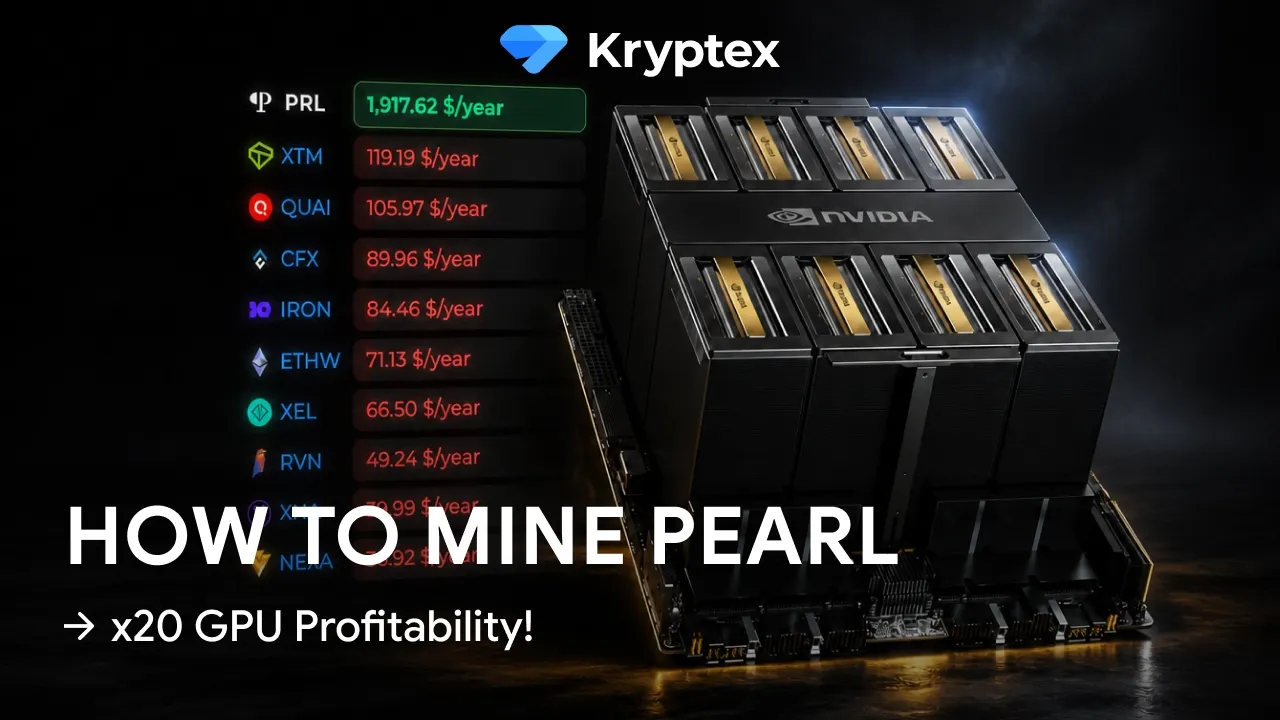
Video Guides
We speak the same language with the miners.
We will help you solve any problem. We help with the equipment, configuration and scaling of any kind.